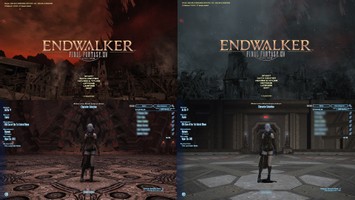
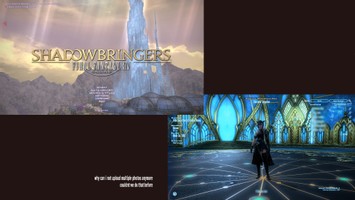
DT Compatibility: ✅ This mod is compatible with Dawntrail.
[FIVE] TITLE SCREEN; The Dead Ends
Version: 1.0
Other by five
;)
Contributor Information / AI Usage:
Requires ' TITLE EDIT ' plugin, which can be found in base repository.
Author's Comments:
[[ HOW TO DOWNLOAD ]]
- Must have ' TITLE EDIT ' plugin.
- Navigate to ' presets ' .
- Copy your desired alphanumerical code from the text doc.
- Select ' IMPORT FROM CLIPBOARD '.
- Make any adjustments you prefer. (expac logo, colors, etc.)
- Select ' save ' .
- Navigate to ' display '.
- Select the new preset under ' title screen setting ' and/or ' character select screen '.
TA-DA!
I take requests! DM me on bsky!
https://bsky.app/profile/betapilot.bsky.social
- Must have ' TITLE EDIT ' plugin.
- Navigate to ' presets ' .
- Copy your desired alphanumerical code from the text doc.
- Select ' IMPORT FROM CLIPBOARD '.
- Make any adjustments you prefer. (expac logo, colors, etc.)
- Select ' save ' .
- Navigate to ' display '.
- Select the new preset under ' title screen setting ' and/or ' character select screen '.
TA-DA!
I take requests! DM me on bsky!
https://bsky.app/profile/betapilot.bsky.social
Primary File or Link:
THE DEAD ENDS.zip : [ via Direct Download ]
Other Files and Links:
- Other : [ via bsky.app ]
History:
 Loading Mod History...

Similar Mods